Features · Signatures & Security

Signatures & Security

Digital signatures, sealed PDFs, permissions, sign-in and the audit trail. — 16 shipped features below.

Personal account settings now live in one place

Personal settings, profile, password and the account deletion request have moved to an account page that belongs to the whole workspace rather than to a project. It is reachable from anywhere, including by a user who is not yet a member of any project — who previously could not reach it at all.

Improved2.0.52.0.5-CHG-03

Traffic Map on the dashboard

A full-width band under the 7-day strip that puts the project's whole workflow in one picture — each stage is a circle, and every document in progress is a dot travelling the path between stages, so you can see at once where work is piling up. Dots carry the colour of the company that raised the document, with a colour key underneath; a stage holding a lot of documents changes colour and expression so it is hard to miss; and pointing at a stage highlights only the paths connected to it. The paths match the workflow the project administrator designed, including return-for-revision routes and stage-skipping forwards. Everyone on the project sees the band without having to turn it on.

Pin the inspection position on the floor plan

A new field for site inspection work: pick a location that carries a key plan — the per-floor image uploaded on the project home page — and tap the plan to pin where the inspection took place. Several pins are allowed and each remembers its own location. A project administrator can add the field to any document type from the workflow designer, and new projects get it on the site inspection (RI) form from the start.

Projects can create their own document types

From the workflow design tool, administrators can add a new document type with its own name, code and icon, then design its workflow, form fields and permissions exactly like a standard type.

Exporting and importing document types across projects

A complete document type (workflow, form fields, settings, permissions, checklists and email wording) can be exported as a file and installed in another project, with a review step before importing and the option to withdraw it later. A library of standard types is included, starting with Minutes of Meeting (MOM) and Punch List.

Digital signing on PDF documents

Reviewers can annotate and mark up files submitted by contractors, apply their own signature, and save the result as a signed document that is forwarded to the next stage. Signed documents carry a digital seal and a QR code for verifying authenticity and confirming that the document has not been altered. Multiple signatures may be stored per user and selected at the time of signing.

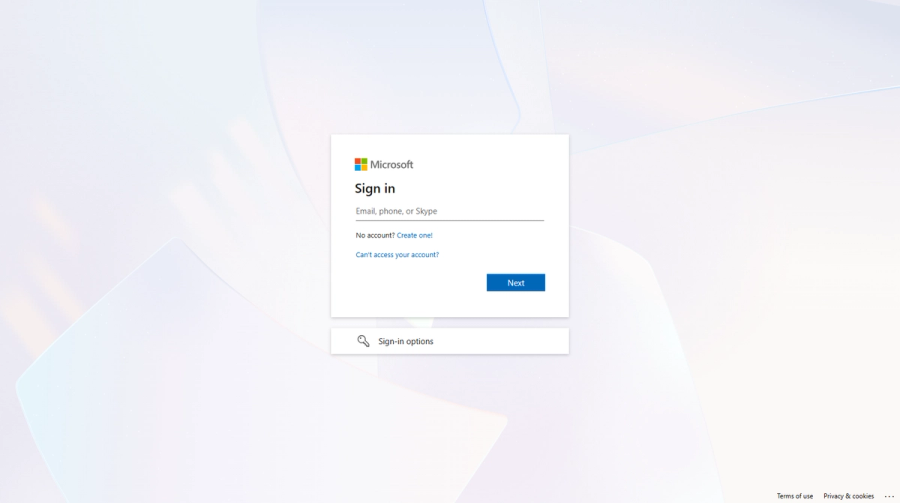
Sign in with a Microsoft account — For organisations that use Microsoft accounts. Signing in with an existing username o

Sign in with a Microsoft account

For organisations that use Microsoft accounts. Signing in with an existing username or an email address remains supported.

Pages explaining permissions and workflows

Users can look up what each permission level is able to do, and which stages each document type must pass through.

Finding a document by part of its number

Typing any portion of a document number now finds it, both in the document list and in the administrator's finder.

Improved2.0.22.0.2-CHG-09

AUTODOCS has been rebuilt from the ground up

faster, easier to use, and more reliable — while keeping the same workflows and document numbers you already know. It takes effect on 1 July 2026 and applies to projects that start on or after that date.

Improved2.0.12.0.1-CHG-01

All of your existing data has been moved over

documents, signatures, attachments, images, and user accounts (your old password still works).

Sign in with Google, and reset your own password

Sign in with your Google account (for invited project members), plus a forgot-password reset so you can set a new one yourself.

A redesigned Account page

update your profile, set your password, and draw your own signature, all in one place.

Improved2.0.12.0.1-CHG-02

Project admins can design each document type's workflow themselves

steps, who is responsible, result options, access permissions, and the form fields — without waiting for developers to change the software.

Generate a PDF cover page and a full-document PDF (including item tables) for every type, in multiple formats

standard, AIA, and FIDIC — with a document-certification seal.

Full project settings: companies (logo and brand colour), members and invitations, roles, document subjects, work types, the document-number format, and email messages

with permissions that hide settings from those who can't edit.

All featuresMobile & LINEDrawingsSite WorkDashboards & Traffic MapDocuments & WorkflowPlatform & AI

See it on your project — request a demo →