Features · Platform & AI

Platform & AI

The AI assistant, email, search and the everyday experience. — 36 shipped features below.

One index of every file attached anywhere in the project, with a summary console and a search that ranks results by rele

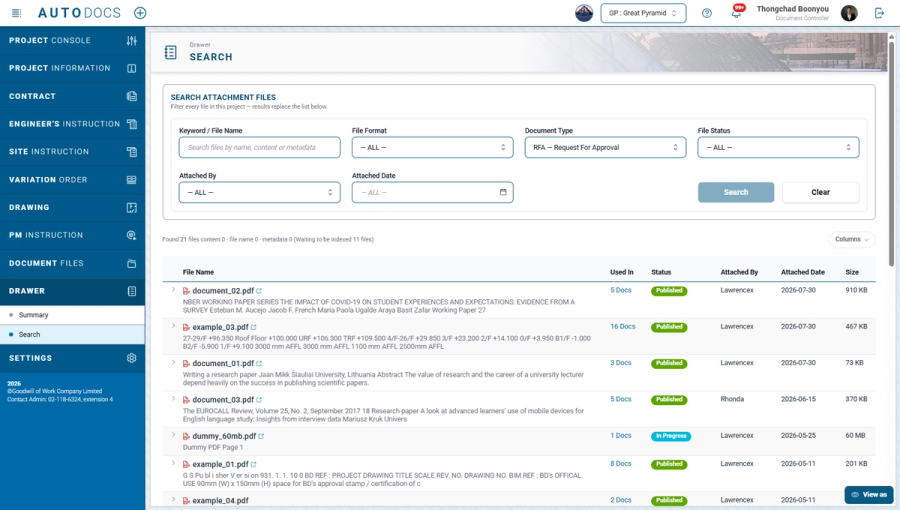
The Drawer: a project-wide file index with ranked search

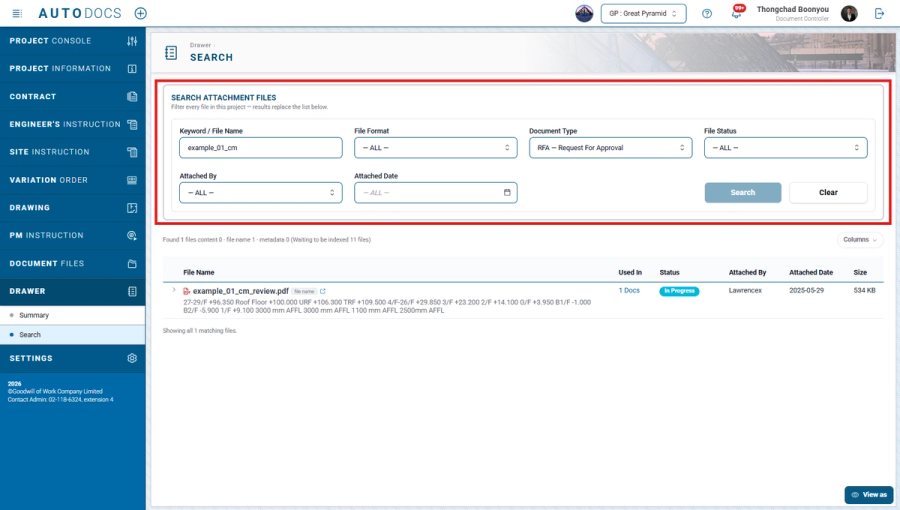
One index of every file attached anywhere in the project, with a summary console and a search that ranks results by relevance across file names and file metadata. Results only ever show files the person searching is already entitled to see, under the same document visibility rules as everywhere else.

Search now reads the text inside PDF files as well, so a document can be found by wording that appears in it even when n

Search inside PDF content, not just file names

Search now reads the text inside PDF files as well, so a document can be found by wording that appears in it even when nobody remembers what the file was called.

A console for every link you have shared

One page listing the links you have shared — a project administrator sees the whole project's. Each row says which document it opens, who can open it, how long it has left, how many times it has been opened, and who created it. Links can be closed from here, and clicking a row goes to that document's file store.

A published privacy notice, and a copy of your own data

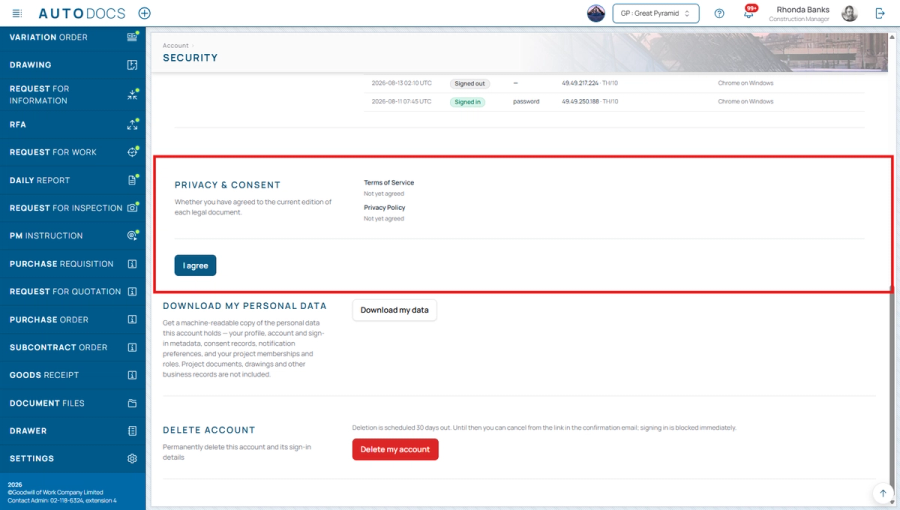
A privacy notice is now published, stating why data is collected, how long it is kept, the rights of the person it belongs to and where each is exercised, the external providers involved, and a contact channel that is actually monitored. Users can obtain a copy of their own personal data from the Account page, and each acceptance is recorded against the dated edition of the document that was in force at the time.

A per-project switch for AI features

AI-assisted features are enabled per project and off by default, for the project administrator to turn on. Customer data is never used to train models, and before anything is sent out, email addresses, phone numbers and financial figures are removed automatically; personal names and organisation names are removed only where they appear in a field specifically set aside for that kind of data.

Click a file name in the summary and land on the file

The "recently added" and "most used" lists on the file index summary now open the file when its name is clicked — for the files that person is entitled to see, under the existing rules.

Improved2.0.52.0.5-CHG-02

iPhone (HEIC) photos are accepted in every browser

The system converts them to a standard image format automatically, and a file that cannot be read is refused immediately with its name, instead of being accepted and showing an empty image later.

Improved2.0.32.0.3-CHG-01
Free choice of document-type icons — A catalogue of more than 130 icons, searchable in Thai and English, changeable for

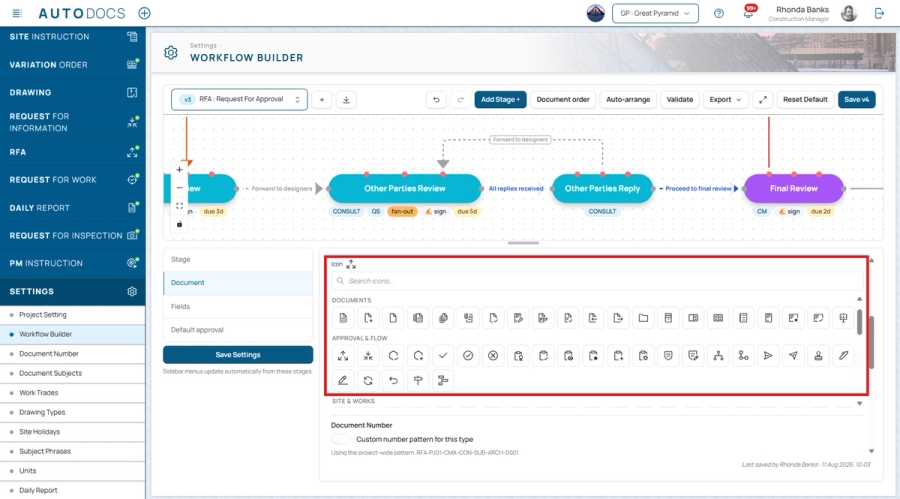
Free choice of document-type icons

A catalogue of more than 130 icons, searchable in Thai and English, changeable for both custom and standard document types, with a reset back to the original icon.

Improved2.0.32.0.3-CHG-02

Company logos accept .webp files

Converted automatically so they work on PDF letterheads and keep their transparency in dark mode.

Improved2.0.32.0.3-CHG-07

Word-pill subject forms

Pick the subject from commonly used word pills, select more than one symptom, have the location filled in from the one chosen, and create the next item without leaving the page.

Improved2.0.32.0.3-CHG-08

The document summary page

The status table sorts, charts carry value labels, and each card explains itself under its heading.

Improved2.0.32.0.3-CHG-13

Approving multiple documents at once

Users can review and approve documents consecutively within a single screen, specifying carbon-copy recipients, urgency, due dates, and the receiving company per document, or approve individual items quickly from the pending-tasks list.

AI-assisted drafting of document details

When creating a new document, the system can help draft the content of the details field for the user to refine further.

Custom document format

A new field-work document format in Thai, comprising emblems and separate signature areas for the approver at each stage.

Self-service account deletion — Users can request deletion of their own account from the account settings page, with a 3

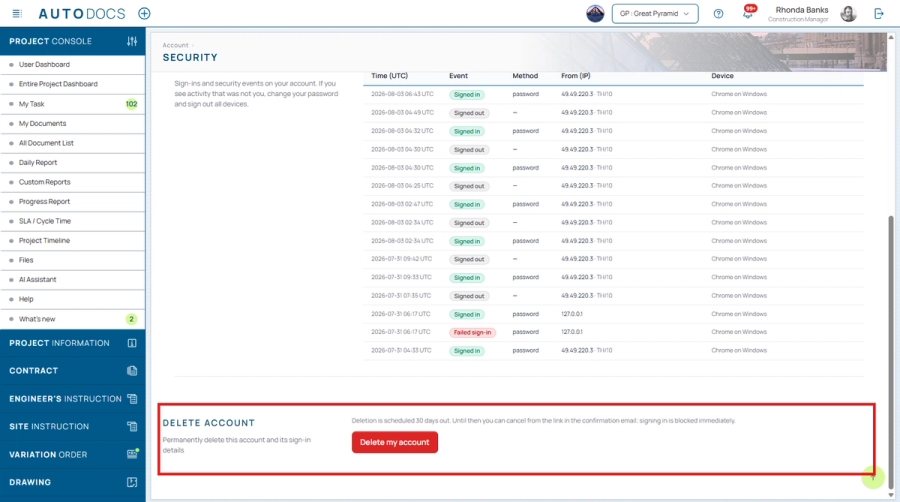
Self-service account deletion

Users can request deletion of their own account from the account settings page, with a 30-day grace period during which the request may be cancelled. The Terms of Service have been updated accordingly.

Administrator tool improvements

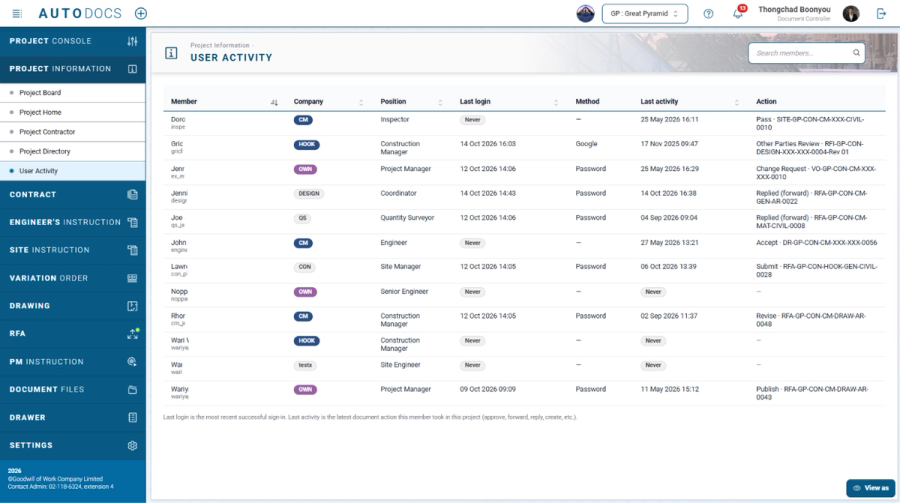
The user-management page shows all accounts in the system and now supports editing the project code, selecting the display time zone, and a more detailed user-registration verification process.

Improved2.0.22.0.2-CHG-05
Release notes inside the system — Users can read each version's improvements from within the system, with a badge markin

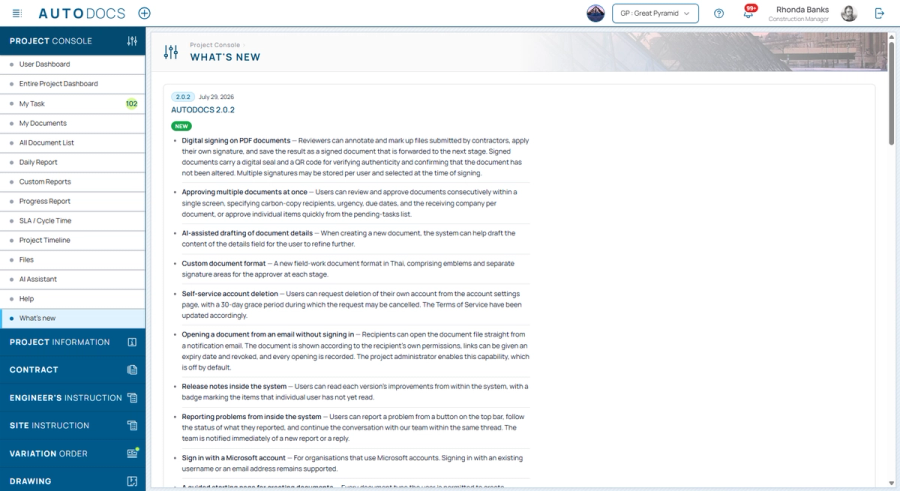
Release notes inside the system

Users can read each version's improvements from within the system, with a badge marking the items that individual user has not yet read.

Reporting problems from inside the system

Users can report a problem from a button on the top bar, follow the status of what they reported, and continue the conversation with our team within the same thread. The team is notified immediately of a new report or a reply.

A guided starting page for creating documents

Every document type the user is permitted to create, gathered on one page with explanatory notes to help choose the correct type.

Faster uploading of on-site photos

Files are sent directly to storage, supporting larger files and more of them at once.

Improved2.0.22.0.2-CHG-07
Plain-language error messages with a reference code — When something stops the user from finishing their work, the syste

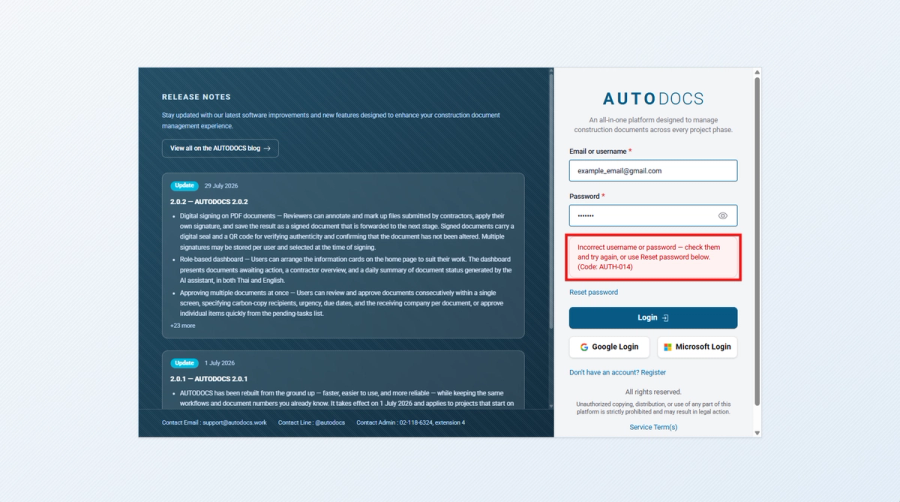
Plain-language error messages with a reference code

When something stops the user from finishing their work, the system explains it in ordinary language and shows a code for that error, which can be passed to an administrator to trace the cause.

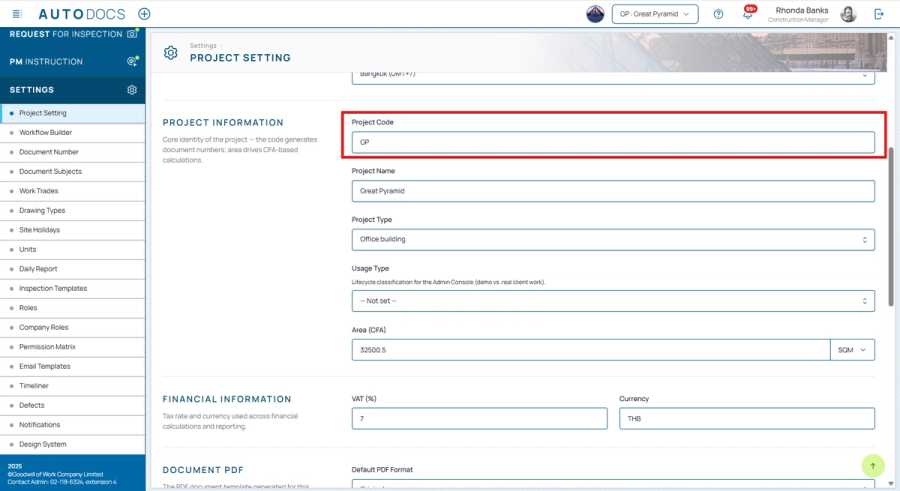
Editing the project code from Settings — Project administrators can change the code themselves, with the consequences sp

Editing the project code from Settings

Project administrators can change the code themselves, with the consequences spelled out for confirmation before it is saved.

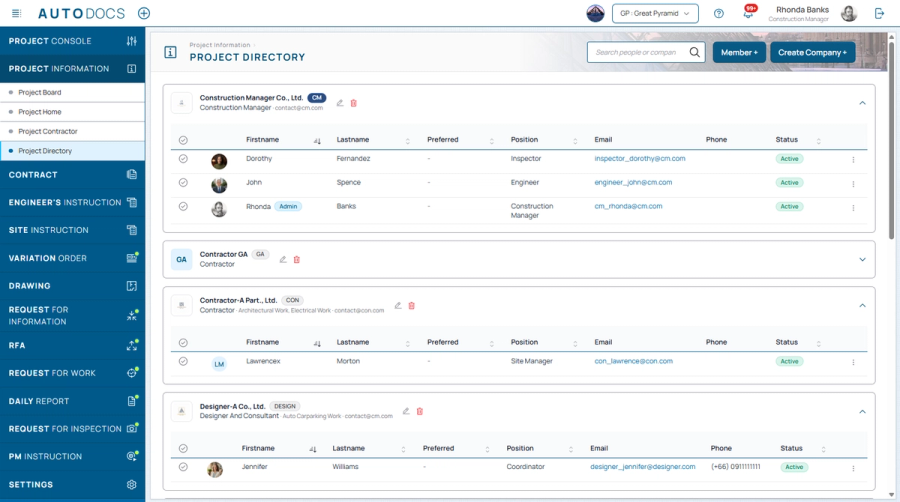
Company directory — Company codes appear on the badges, and companies are listed alphabetically.

Company directory

Company codes appear on the badges, and companies are listed alphabetically.

Improved2.0.22.0.2-CHG-10

One create form for every document type, with fields you choose

One create form works for every document type, and the project admin decides which fields each type shows and which are required.

Improved2.0.12.0.1-CHG-03
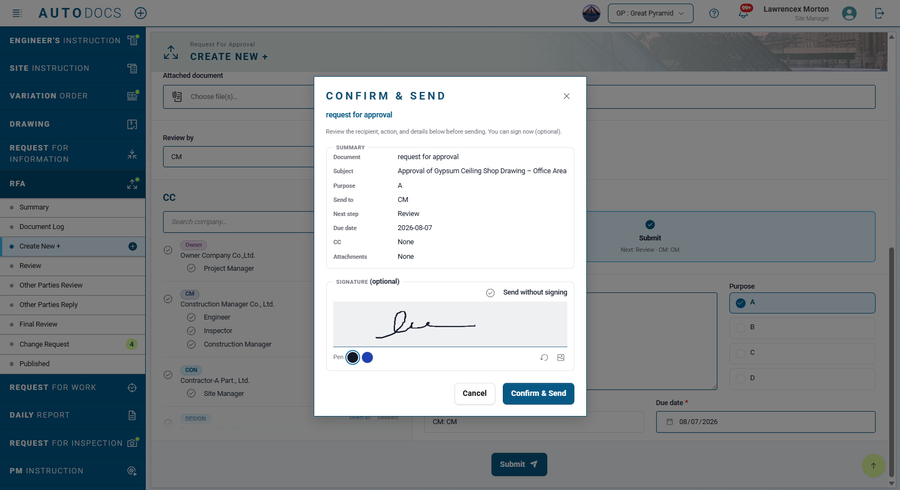
A confirmation summary before you send — see who it goes to, what for, and the due date, sign right there, and if anythi

A confirmation summary before you send

see who it goes to, what for, and the due date, sign right there, and if anything is missing the system takes you to the field you still need to fill in.

Reviewers can edit fields and add CC during the review

Reviewers can edit document fields, and add CC recipients or mark a document Urgent during the review.

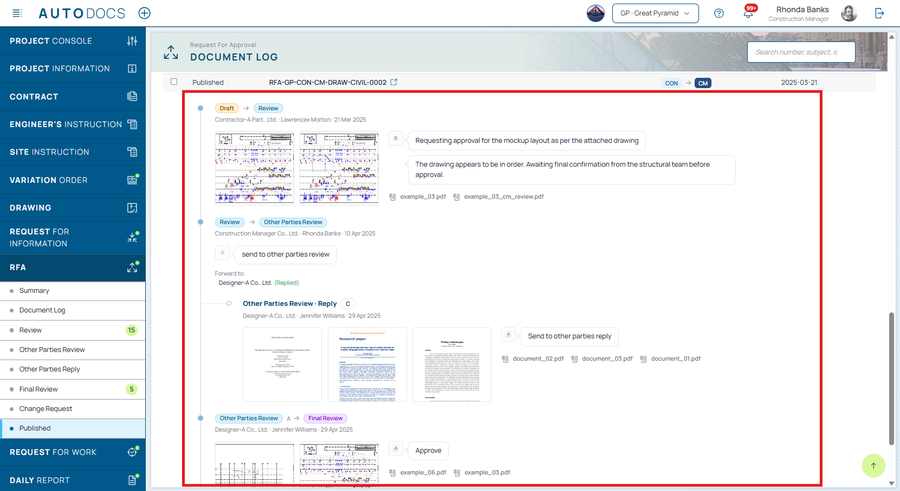
See the approval path ahead — the current step, the next step, and who is responsible for each — along with a full, time

See the approval path ahead

the current step, the next step, and who is responsible for each — along with a full, time-ordered history of every change.

Per-company document numbering

Document numbering is kept per company, and you can set the number format yourself.

Bulk ZIP download, and PDF markup inside the system

Download several documents at once as a ZIP (attachments and cover pages included), and mark up / annotate PDFs right inside the system.

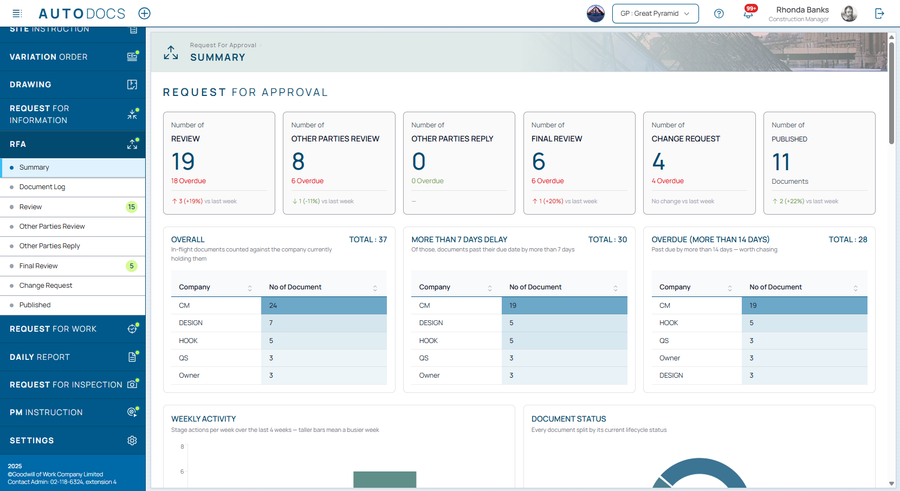
A summary page per document type — how many documents are at each step, how many are overdue, a weekly activity chart, a

A summary page per document type

how many documents are at each step, how many are overdue, a weekly activity chart, and status broken down by subject.

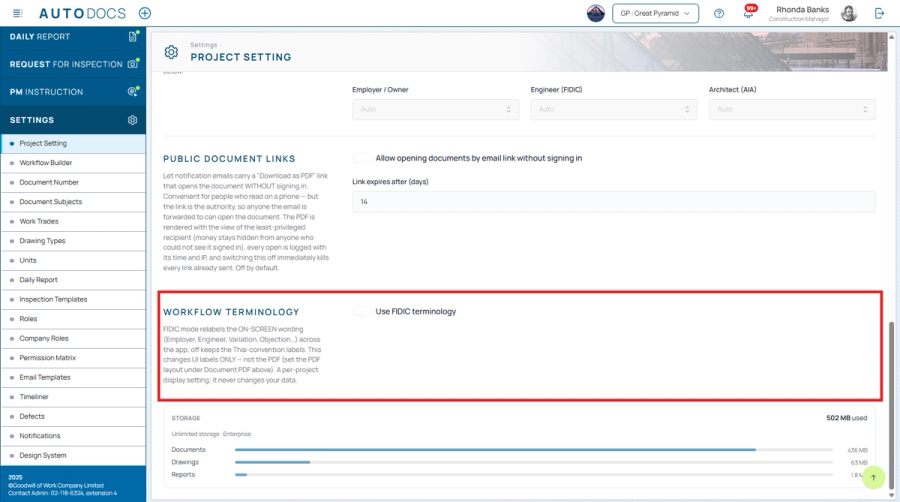
Switch to FIDIC contract terminology per project — the system automatically updates the wording (e.g. Employer / Enginee

Switch to FIDIC contract terminology per project

the system automatically updates the wording (e.g. Employer / Engineer / Variation) throughout.

A complete visual redesign

A complete visual redesign that is clean, organised, easy to read, and consistent across every page, with a breadcrumb so you always know where you are.

Improved2.0.12.0.1-CHG-04

Dark Mode

Added a system-wide Dark Mode to reduce eye strain during long sessions.

Review and create pages share one layout

The review and create pages now share the same layout (CC recipients on the left, actions on the right) in a formal letter style that is easier to read and work with.

Improved2.0.12.0.1-CHG-05

Attachments and PDF previews inside the system

View attachments and PDF previews inside the system, with clear pop-up messages confirming each action.

Smoother screens, and better use on a small one

Smoother, faster screens with no flicker when switching pages, and better use on smaller screens.

Improved2.0.12.0.1-CHG-06
All featuresMobile & LINESignatures & SecurityDrawingsSite WorkDashboards & Traffic MapDocuments & Workflow

See it on your project — request a demo →