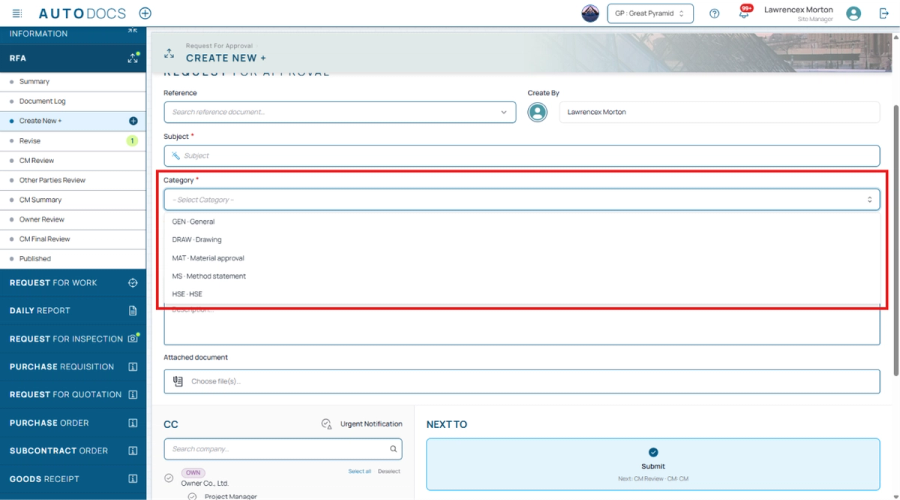
An RFA now needs a Category before it can be submitted
The RFA create form now requires a Category before it can be submitted. The RFI form still lets you leave Category empty, as before.
Every document type, on approval routes you design yourself. — 17 shipped features below.
The RFA create form now requires a Category before it can be submitted. The RFI form still lets you leave Category empty, as before.
The document counts for each stage in the Document Log now use the stage names set in the workflow builder, with no duplicate Create row. A few other display details were also tidied. The foot of the sidebar is the same in every project, FIDIC or not. The Published summary card now looks like the cards for the other stages. The row-order fields in the Print dialog are no longer squeezed until they cannot be read, and a deleted document can no longer be added to Watch.
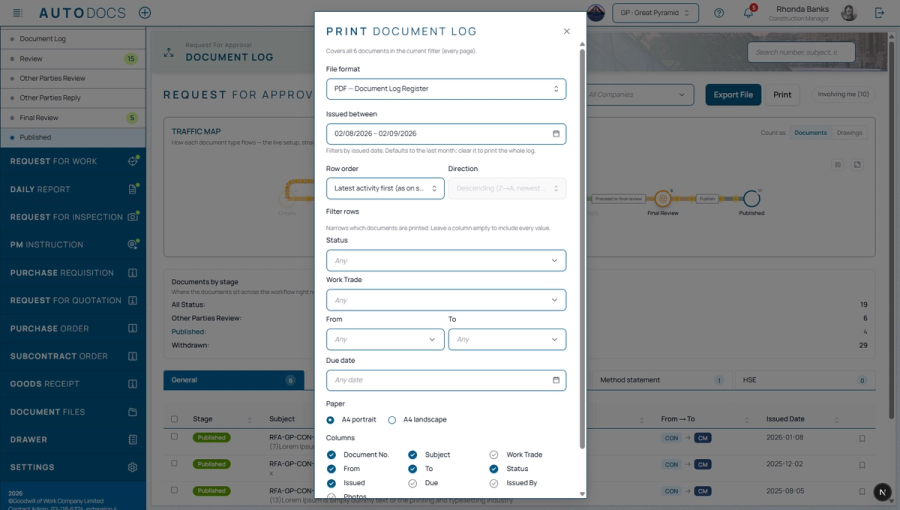
The printed document register can now be narrowed properly: several values in the same column, and filters on sender and recipient, which had none before. Print only the documents from the contractor to the construction manager that are under review or approved and fall due this month. The number of rows printed always matches the number that actually match.
An organisation that wants document status inside its own systems can now ask for a connection. It is closed and customer-scoped rather than a public service: it is enabled one project at a time, credentials are issued for that project alone, both are off until asked for, and switching it off withdraws access immediately. The connection is read-only and returns metadata only — document number, status, version, current workflow stage — and can never return document content, attachments, or a link to a file.
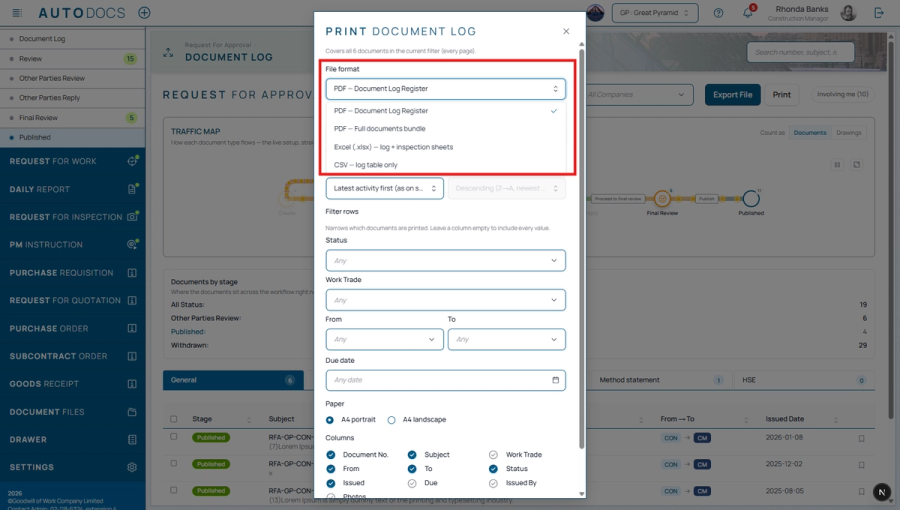
There used to be two orderings; anyone who wanted another exported to Excel and sorted it there. Every printed column can now be sorted, in either direction. Document numbers sort numerically (RFA-9 before RFA-10), Thai text sorts the way Thai readers expect, and rows with no value always sink to the bottom whichever way you sort. PDF, CSV and Excel all come out in the same order.
Adding a field in the workflow builder now saves straight away: the internal reference name is derived from the label you typed. Previously it had to be filled in by hand, and leaving it empty failed the save without saying what to type.
The print dialog now takes a date range, defaulting to the last month. Printing used to sweep the entire history every time, so a routine job that wanted "last month" got a hundred-page file. Clear the range to get everything as before — and the range you chose is printed on the register header, so nobody files the document away believing it covers the whole project.
The per-stage count cards are now the filter themselves: click a stage to see only the documents in it, click again for everything. The separate status dropdown is gone, since it did the same job twice. The cards follow the real workflow order and push withdrawn and deleted to the end, and the work-trade and company fields can be typed into instead of scrolled through.
Photos taken through the system can carry the date, time and coordinates printed onto the image itself, so the information stays with the photo even after it leaves the system. Coordinates open on a map, and a camera button has been added to comments and replies.
If the connection drops while filling in or submitting, the document with its photos and attachments is kept on the device and sent automatically when the signal returns, without creating duplicates. Pending drafts appear in the Document Log with buttons to send now, retry, or discard.
Contractors can attach photos, such as after-repair photos, directly at their own stage. The project administrator chooses which stages ask for photos and the minimum count. Stage photos join the document history and the printed form just like photos added at creation.
While replies are pending, another party can be added to the same round without starting a new one.
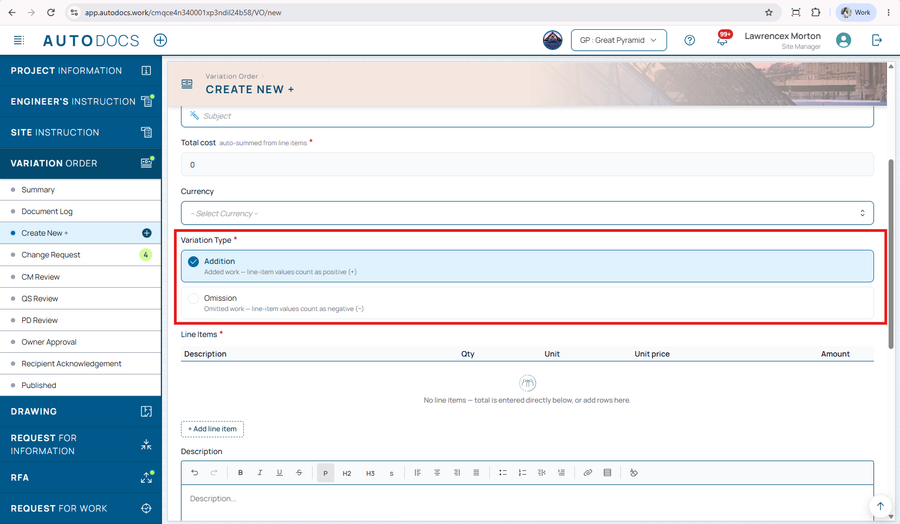
Choosing Addition or Omission is now a clear labelled choice with a note on how it affects the value, and the form points it out when nothing is selected.
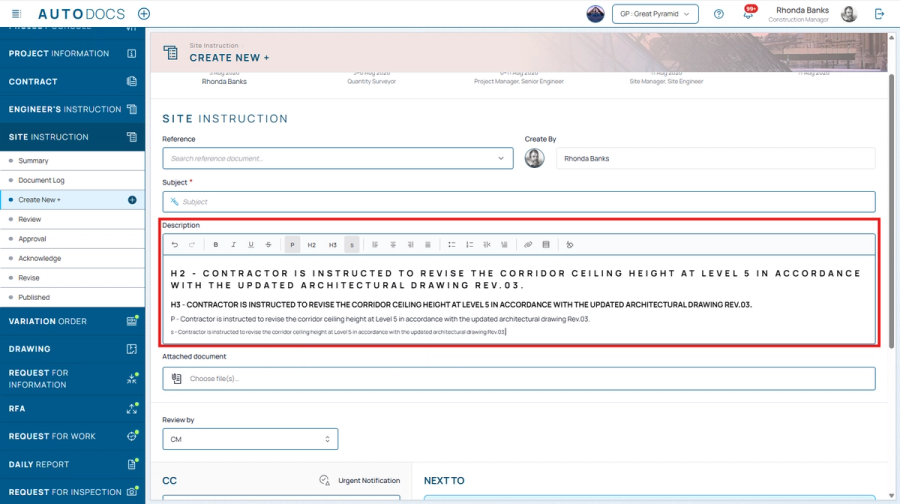
A toolbar button for setting text in a smaller size, for notes and annotations.
Project administrators define one "Next to" rule per stage, shown as a card per route in the order set in the workflow design tool.
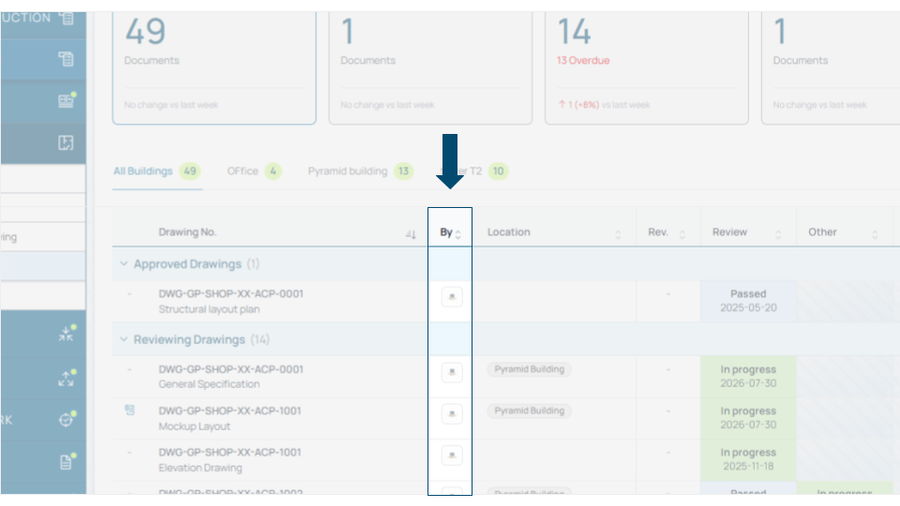
The company's logo (or its initials when there is none), sortable. The revision-upload column now appears only for people who may edit; read-only viewers no longer see a permanently empty strip.
A complete review-and-approval flow: forward to several parties at once, send back for revision and resubmit, and sign at the stages that require it.